
LootLab: Loot System Simulator & Balancing Tool
A downloadable Lootlab for Windows
LootLab
Stop guessing what 1% feels like.
LootLab is a desktop balancing tool for developers who want to see what their loot systems actually do to players.
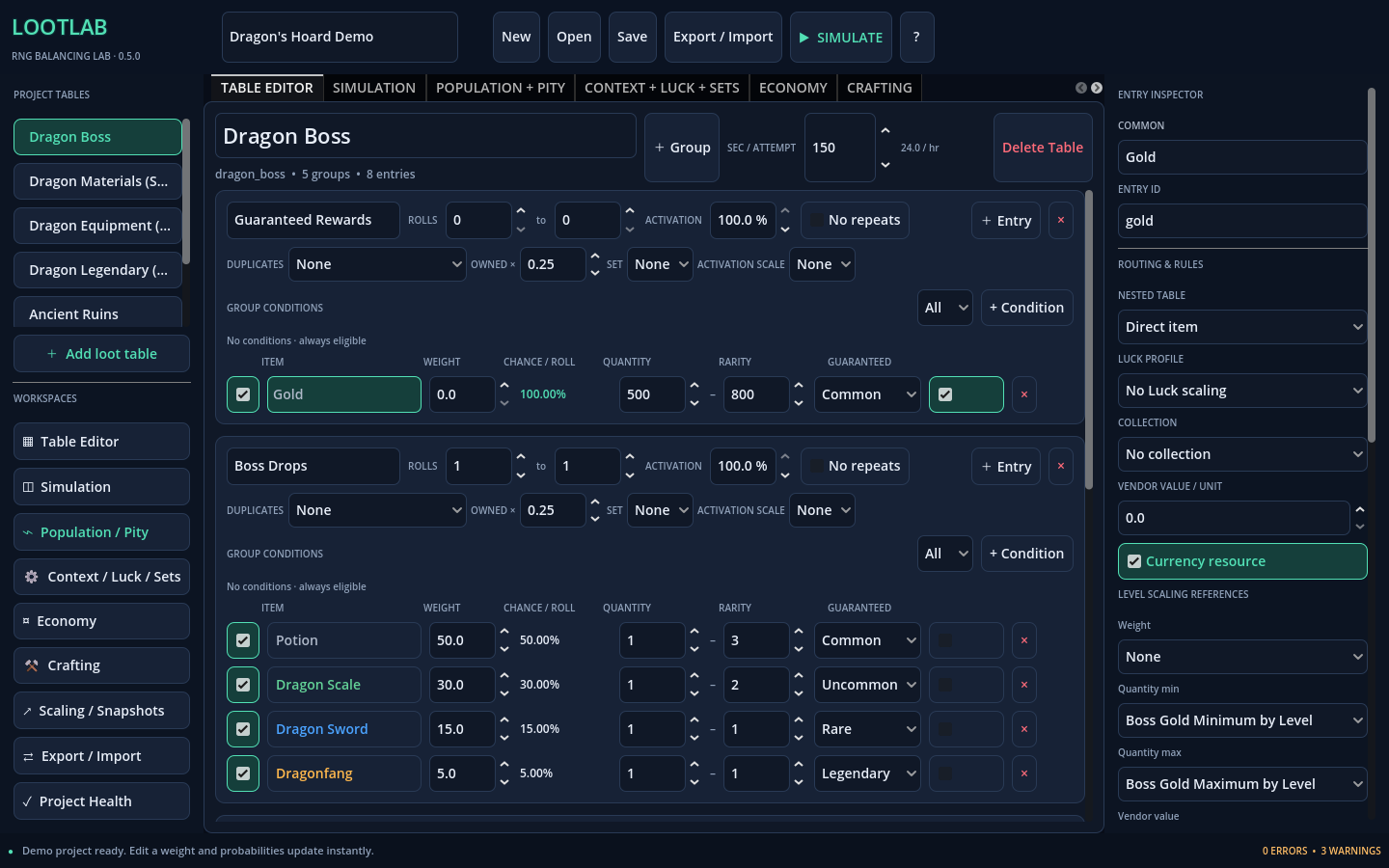
Build weighted and guaranteed loot sources, add pity, duplicate protection, Luck, level scaling, conditions, collections, crafting, and economy rules, then simulate thousands of player journeys to see the real outcomes behind the percentages.
Instead of asking:
“Is 1% fair?”
LootLab helps you answer:
- How many attempts will most players need?
- What happens to the unlucky tail?
- How much does pity actually help?
- How many duplicates will players see?
- How long will a grind take?
- Which ingredient is slowing down a recipe?
- Which farming source is actually more efficient?
- What happens when Luck or level scaling changes the table?
Then, when the numbers feel right, export the same configuration into your game.
Build Real Loot Systems
LootLab supports:
- Weighted and guaranteed drops
- Multiple rolls and no-repeat rules
- Nested and shared loot tables
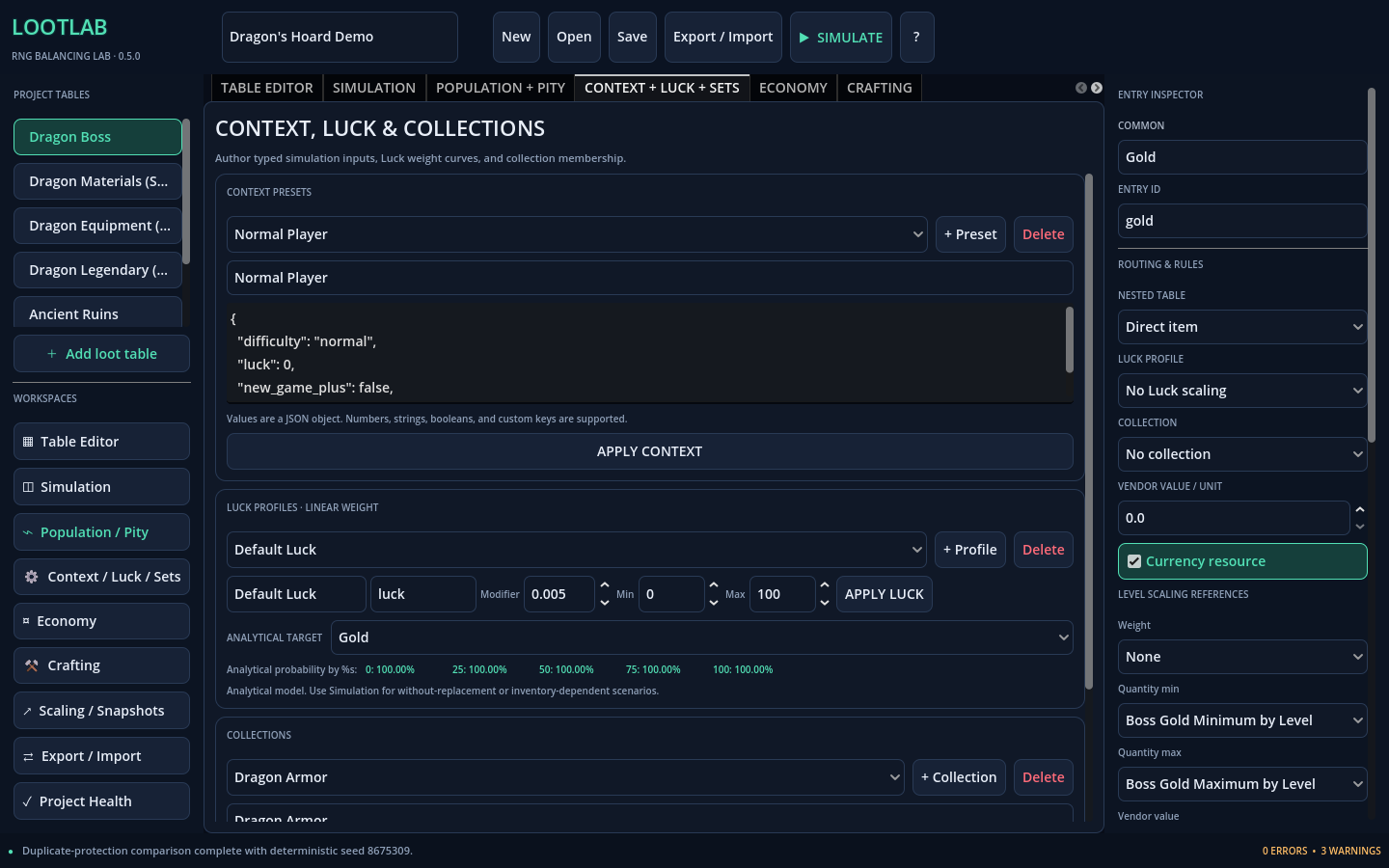
- Conditions and typed context values
- Luck scaling
- Level scaling
- Hard and soft pity
- Duplicate protection
- Collections
- Per-session ownership and inventory state
Everything is designed around the same resolver logic used by the simulation tools, so your analysis and exported data stay aligned.
Simulate Players, Not Just Rolls
A single drop percentage only tells you what happens on one roll.
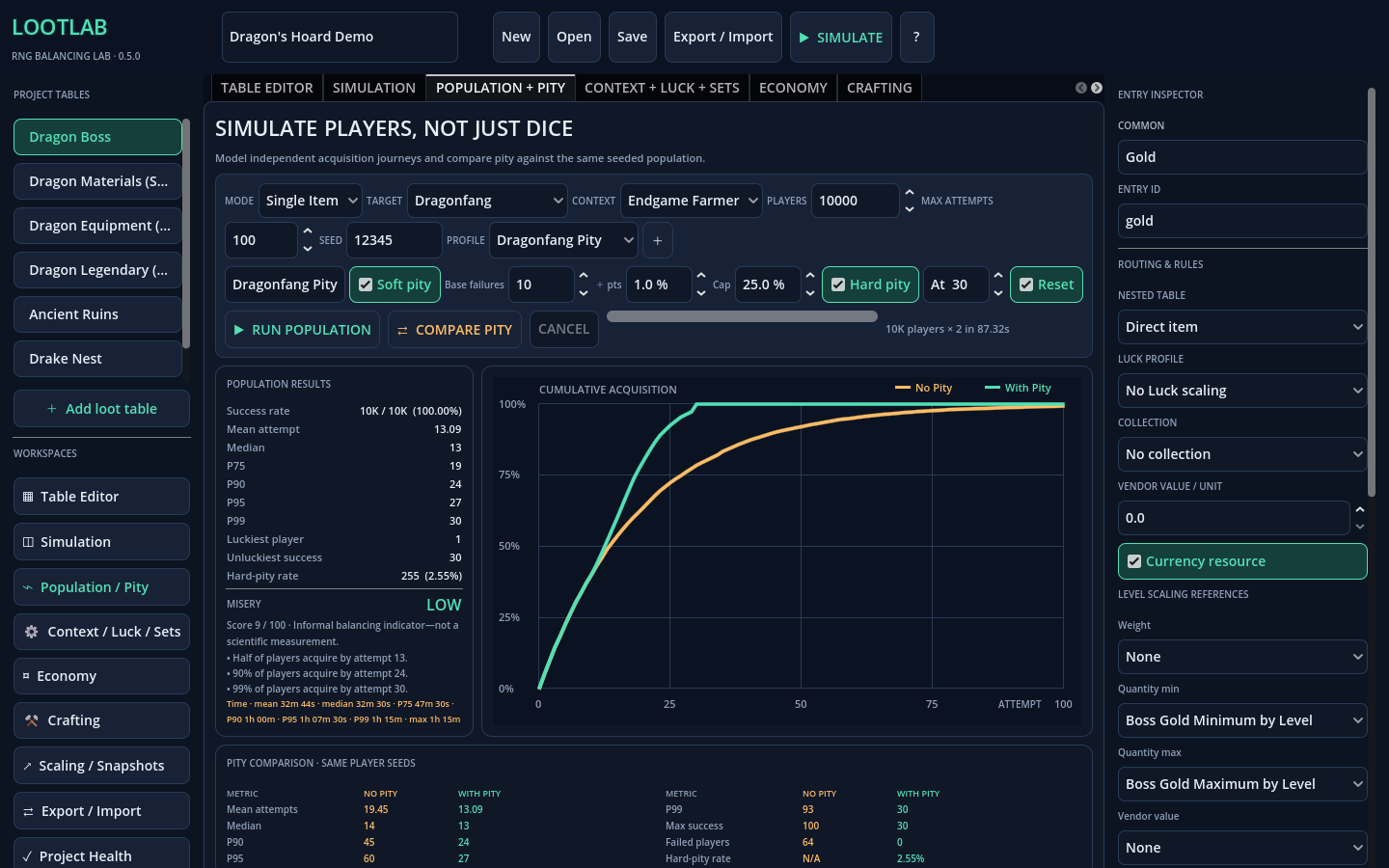
LootLab can simulate entire player populations so you can inspect:
- Mean acquisition
- Median acquisition
- P75 / P90 / P95 / P99
- Failure rates
- Hard-pity hits
- Grind-time estimates
- The unlucky tail
For example, the included Dragon’s Hoard demo can compare a pity-enabled legendary against the same drop with pity disabled using the same seed and player population.
One configuration might look fine at a glance but produce a much uglier long tail once thousands of simulated players hit it.
That is the problem LootLab is built to expose.
Pity and Duplicate Protection
Compare soft and hard pity directly.
See how they change:
- Median acquisition
- P90 / P99 outcomes
- Maximum grind
- Failure rates
- Hard-pity frequency
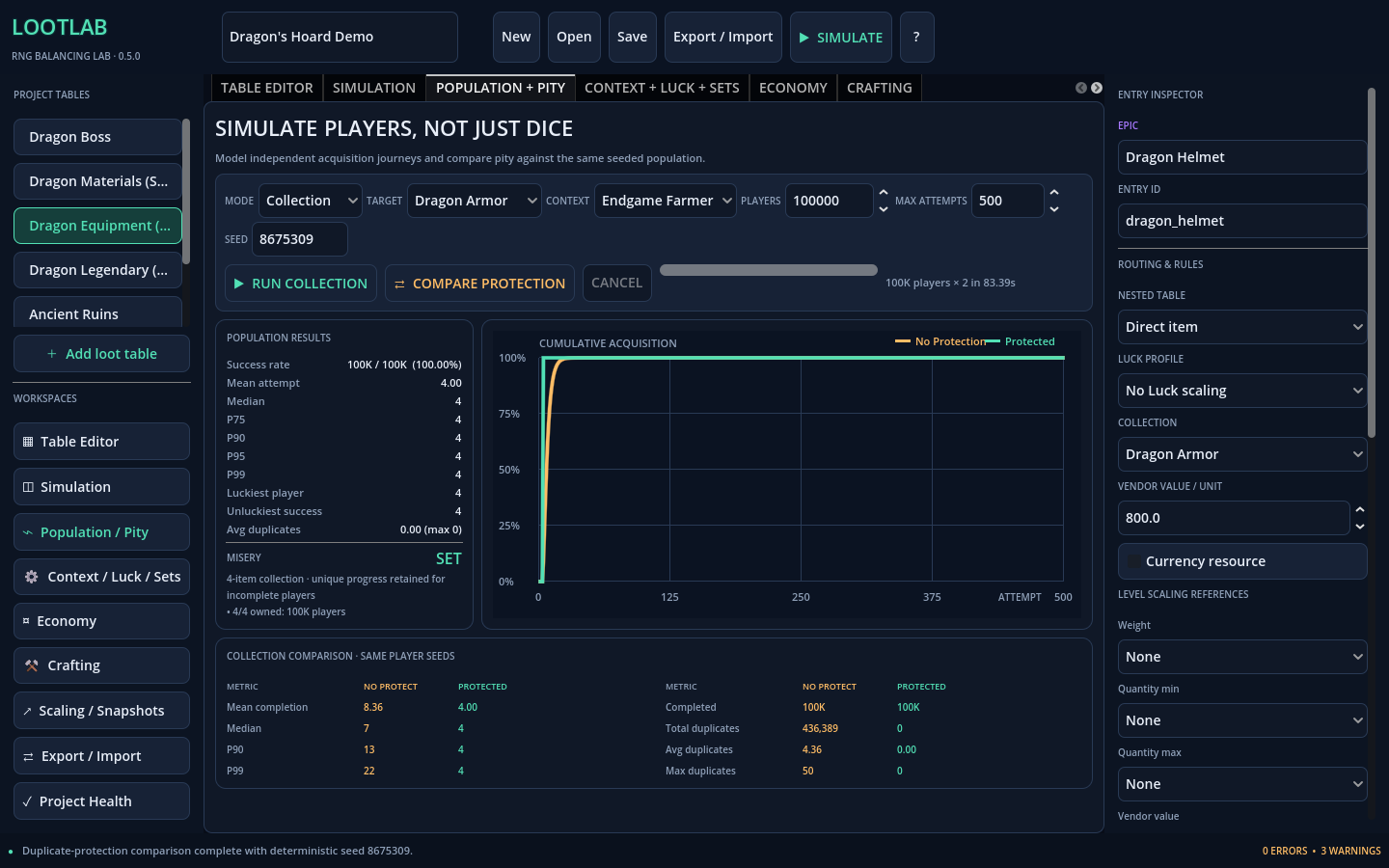
Collections can also be tested with and without duplicate protection so you can measure how many extra copies players are likely to receive before completing a set.
Economy and Crafting
LootLab goes beyond individual drops.
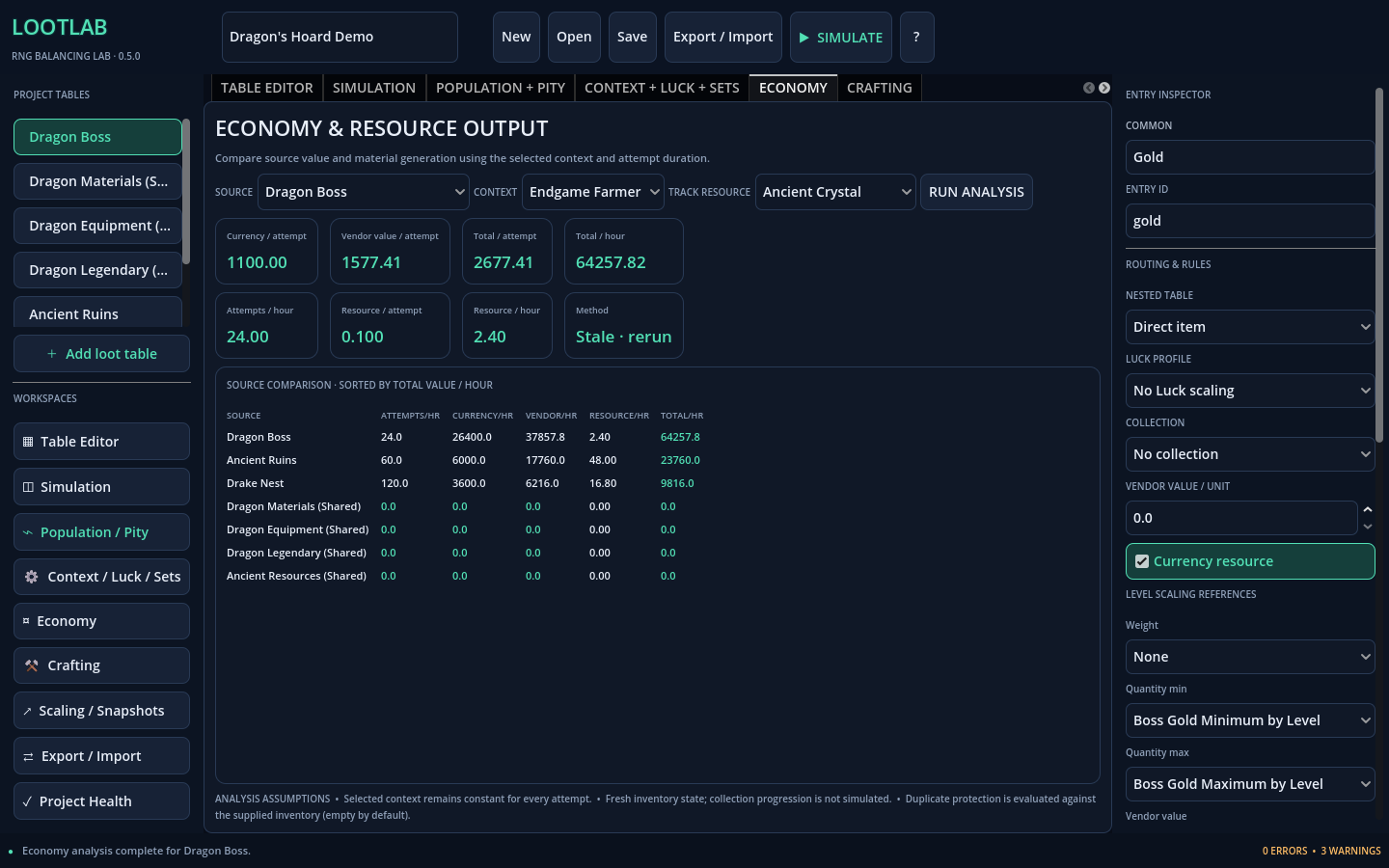
Economy analysis can compare:
- Currency per attempt
- Currency per hour
- Vendor value
- Tracked materials
- Total expected value
- Multiple farming sources
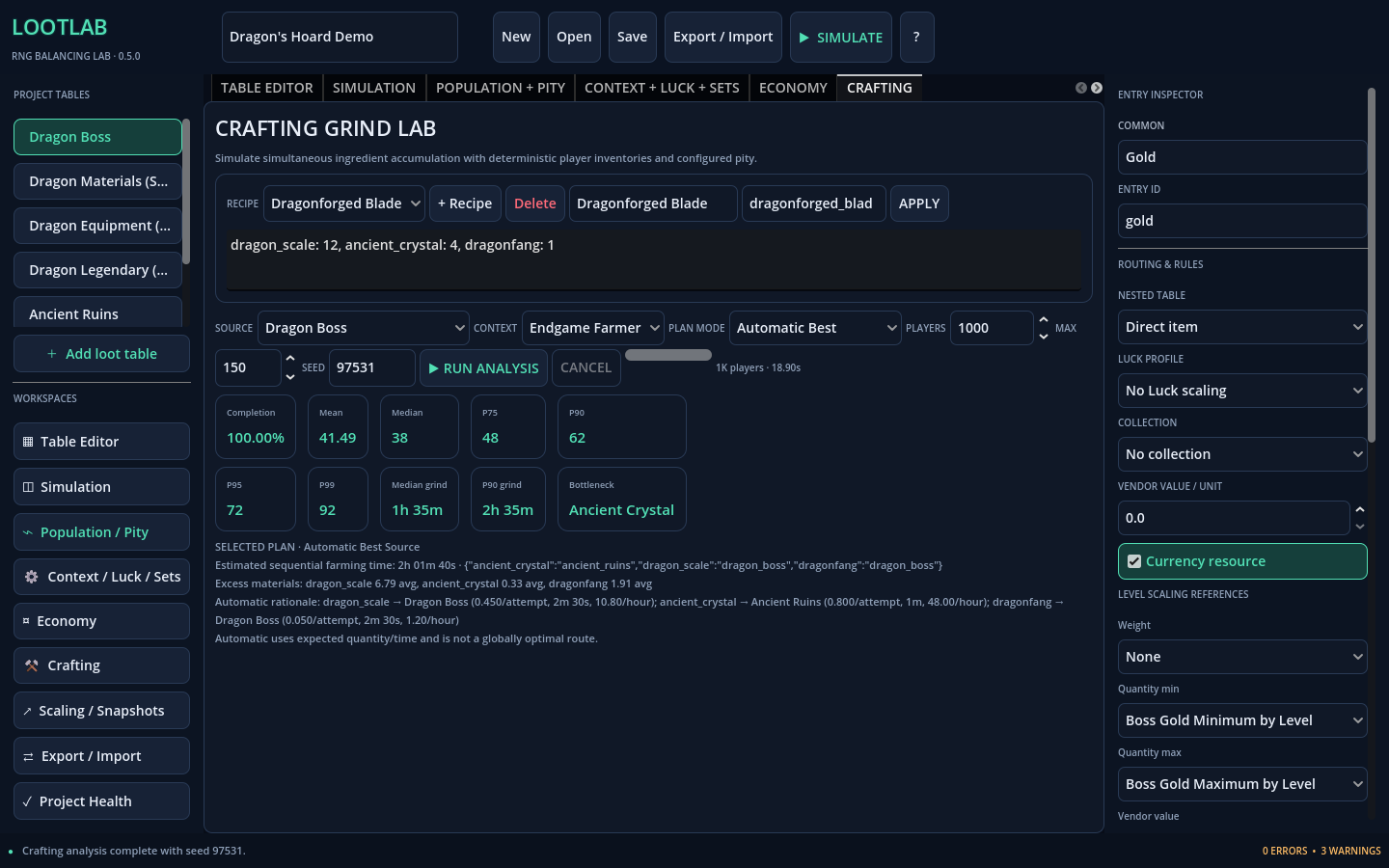
Crafting analysis can simulate entire ingredient grinds and report:
- Completion percentiles
- Grind time
- Missing ingredients
- Excess materials
- Bottlenecks
- Source efficiency
Automatic farming plans can choose sources based on expected quantity per time.
They are an efficiency heuristic, not a route or travel optimizer.
Godot Integration
LootLab is a standalone Windows application, not a Godot Editor plugin.
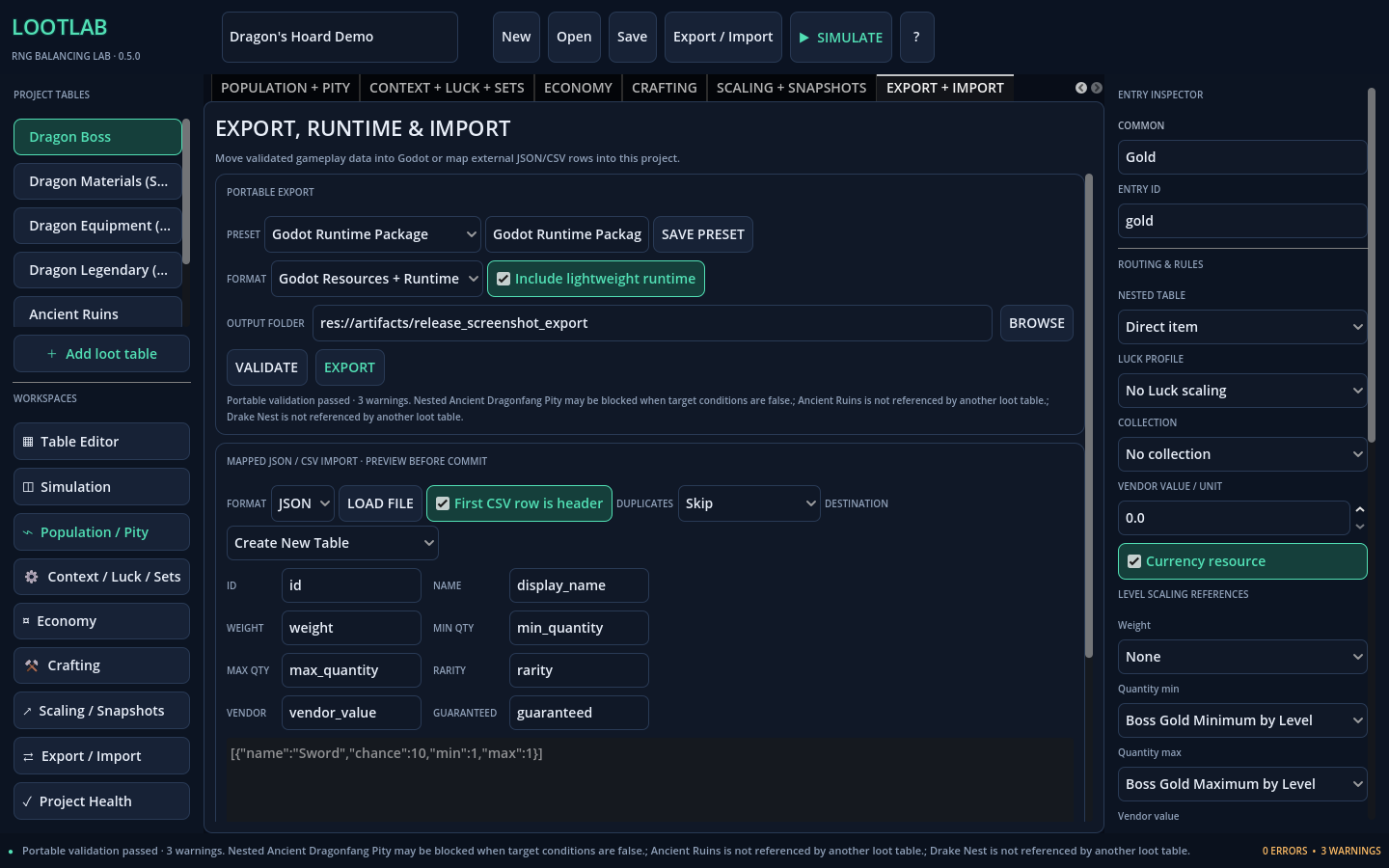
When your loot system is ready, you can export:
- Godot
.tresResources - Readable GDScript
- JSON
- CSV
LootLab also includes an optional lightweight Godot runtime integration for using exported data directly in a Godot 4.5 project.
The runtime supports the same core gameplay behavior used by LootLab, including:
- Weighted and guaranteed drops
- Nested tables
- Conditions
- Luck
- Level scaling
- Pity
- Duplicate protection
- Per-player/session state
Import Existing Data
Already have loot data?
LootLab can import flat CSV or JSON data using a preview-and-mapping workflow with validation and duplicate handling.
You can import into a new table or an existing one without blindly committing malformed data.
Dragon’s Hoard Demo Included
LootLab ships with a practical demonstration project containing:
- Boss loot
- Shared materials
- Legendary pity
- Armor collection protection
- Economy comparisons
- Crafting analysis
- Luck and level scaling
- Nested tables
It is there to show how the systems work together, not just as a blank example project.
Commercial Use
You can use LootLab for commercial or non-commercial games and applications.
- No royalties
- No revenue share
- Credit is not required
- Generated exports may be modified and shipped in your own projects
- The LootLab runtime may be modified and included inside your finished game or application
You retain the rights to your own original project content.
The standalone LootLab application itself may not be redistributed, resold, mirrored, rebranded, or repackaged.
The runtime package may not be redistributed by itself as a competing or general-purpose library/tool.
LootLab source code is not included or licensed.
See the included license agreement for the full terms.
Platform
Version: 0.5.0 Platform: Windows x86_64 Publisher: GlitchedWares
Download & Run
Download the ZIP, extract it, and run LootLab.exe. LootLab is portable and does not require an installer.
Current Limitations
- Windows x86_64 only
- Luck, level scaling, and soft pity currently use explicit linear models
- Automatic farming is an expected-efficiency heuristic, not route optimization
- Very large crafting simulations may take several minutes
- Large jobs run off the UI thread, report progress, and can be canceled
- Imported rows create flat loot entries rather than full nested project structures
- Godot
.tresexports use generic portable metadata Resources rather than custom inspector-native Resource classes - LootLab does not currently include autosave or automatic crash recovery, so important projects should be saved and backed up
LootLab 0.5.0
Design the loot system.
Simulate the players.
Find the ugly outcomes before they do
Purchase
In order to download this Lootlab you must purchase it at or above the minimum price of $3.83 USD. You will get access to the following files:
Development log
Leave a comment
Log in with itch.io to leave a comment.